

Let’s connect your account
1
Confirm the Salesforce organization
Confirm whether the records you want to sync are in a production organization or a sandbox. Use a Salesforce user that can access those records and has API access.
2
Choose the Salesforce environment
In the product you are connecting, choose Salesforce. Under Select your Salesforce Environment, select: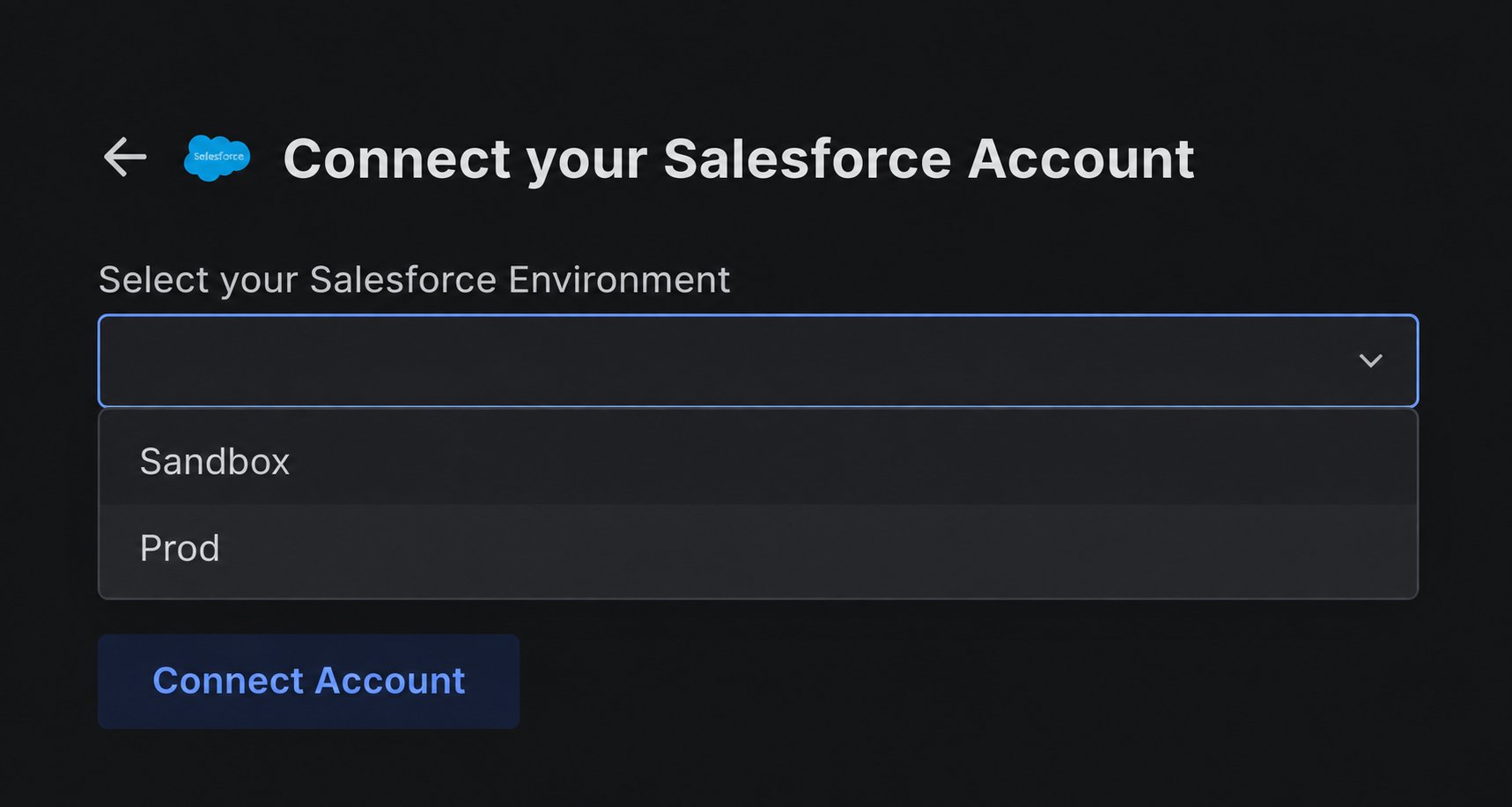
- Prod for a production Salesforce organization.
- Sandbox for a Salesforce sandbox.
3
Sign in to Salesforce
Select Connect Account. On the Salesforce page, sign in with the user that should authorize the connection and complete Salesforce verification if prompted.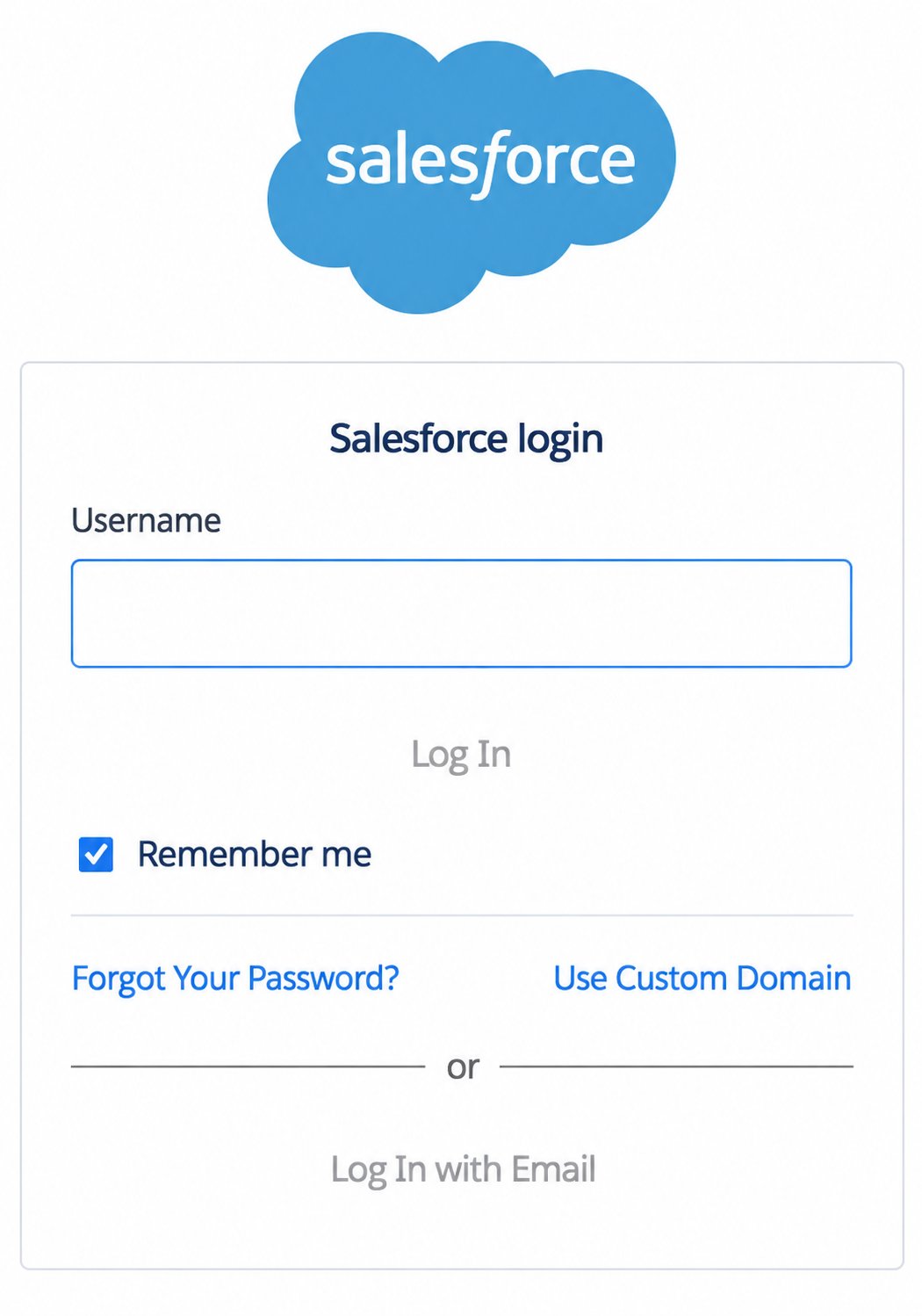
4
Allow Rollout to access Salesforce
On the Allow Access? page, review the permissions requested by Rollout, then select Allow.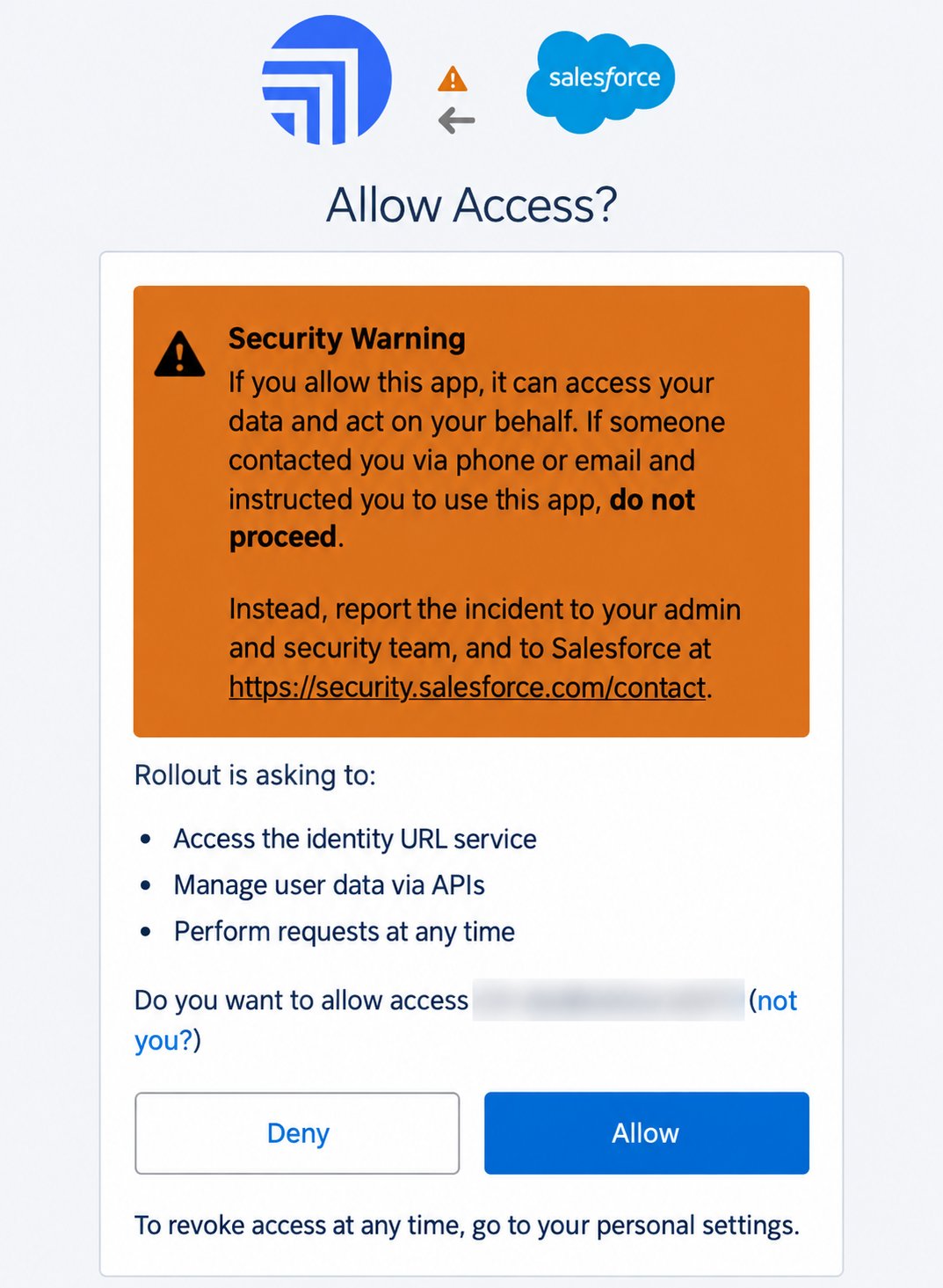
5
Return and confirm the connection
Return to the original product tab. Your Salesforce account should appear, or the connection should show as connected.You do not need to create an External Client App or copy a consumer key, consumer secret, security token, or authorization code.
Salesforce authorization reference
Application access request
Salesforce’s explanation of the Allow step
Use the correct login URL
Salesforce’s production, sandbox, and My Domain sign-in guidance
If the connection does not finish
The Salesforce page did not open
The Salesforce page did not open
Allow pop-ups for the product you are connecting, then select Connect Account again.