

1
Get access and your client secret
Rollout turns on Embedded Apps for each app publisher. Contact us,
and we’ll enable the Embedded apps section of your Rollout dashboard.Your client secret is on the dashboard’s API page, as the Current
secret. Rollout signs every context for your apps with it. Keep it on your
server:
2
Run the app
Save this as A request without a valid context gets a 401 and never loads the app script,
so in a CRM it stays hidden rather than showing an error.
server.mjs. It verifies the context, then serves a page that
greets the agent and loads Rollout’s app script.server.mjs
3
Register the app
In the Rollout dashboard, go to Embedded apps → Apps and choose
Register an app. Give it a name, and set its App URL to:
http is allowed on localhost and 127.0.0.1 for development. Use your
real https URL before you list the app.4
Open a signed sample
On your app’s page, under Test the signature check, choose Generate
sample. Rollout generates your app URL with a context and signature, good
for five minutes, and shows the JSON it decodes to.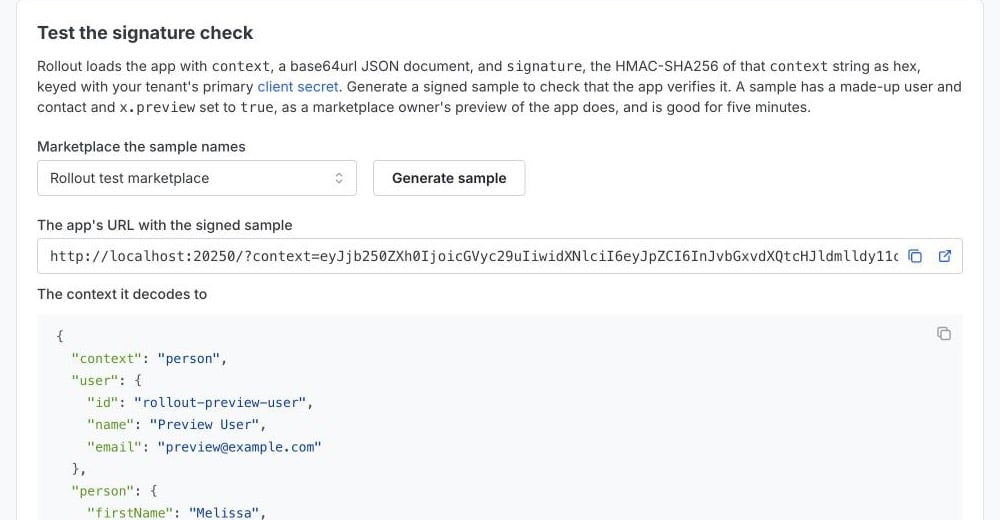
ROLLOUT_CLIENT_SECRET is your
Current secret, and that the sample hasn’t expired.Samples are previews: their agent and contact are made up, and
x.preview is true. See Previews.5
List it in a marketplace
Deploy the app to an
https URL, update its App URL, and submit it to a CRM’s
marketplace from Embedded apps → Marketplaces. Once the CRM approves it,
its users can turn it on. See List your app.Next steps
- Verify the context: add the replay check, handle secret rotation, and see the Python version.
- Context fields: everything a context can carry, and how to link the agent to their account in your app.
- Build the page: sign agents in, refresh the context, and set your framing headers.