

Fill in your app’s details
On Embedded apps → Apps, choose your app, or Register an app: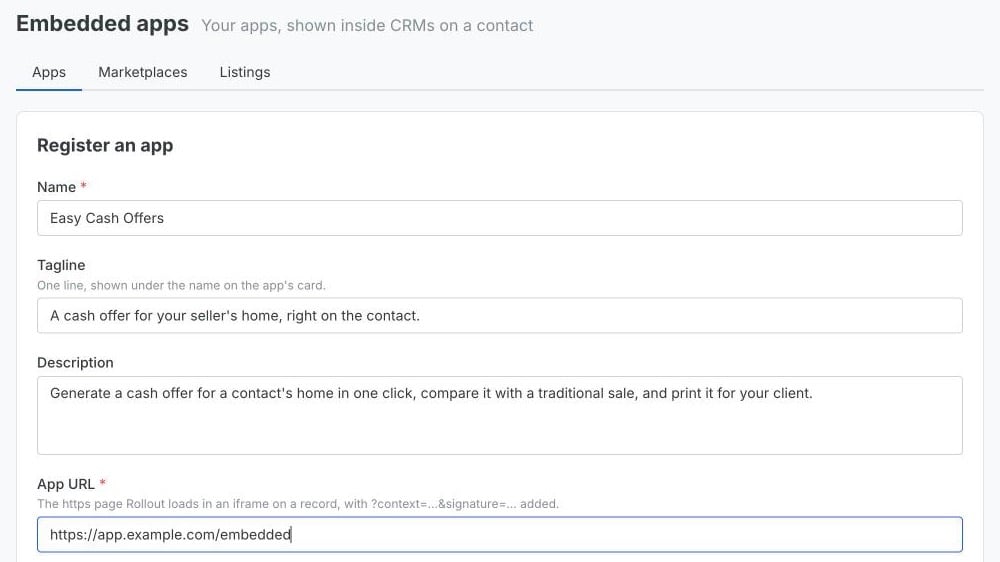
Rollout keeps any query parameters in your app URL, and adds
context and
signature to them. It hosts your icon itself, so CRMs load nothing from your
servers.
Your app has one URL for every marketplace it’s listed in.
Submit to a marketplace
On Embedded apps → Marketplaces, you see every public marketplace, and any marketplace you’re already listed in, each with its CRM and description. Choose List an app, pick your app, write a message to the CRM of up to 2,000 characters, and choose Submit for review.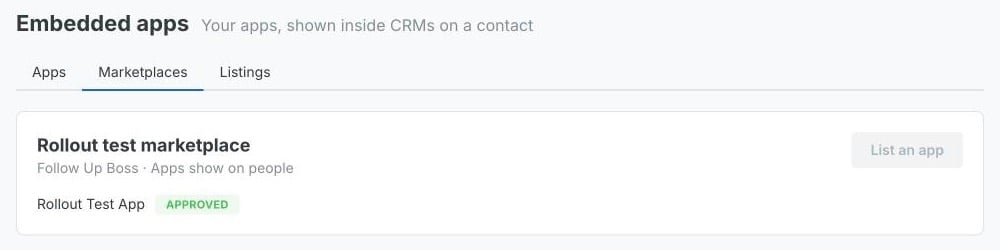
x.preview: true. Make sure your
app shows something worth judging on a preview, such as sample data, rather
than a sign-in screen.
Track your listings
Embedded apps → Listings shows each listing’s status, the CRM’s note, and, once it’s approved, its installs: how many agents and orgs have it on.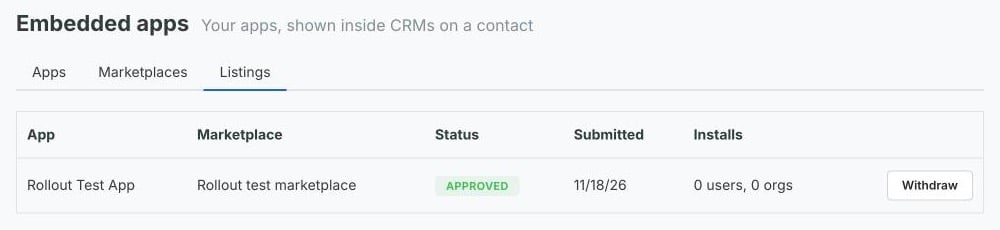
Listing again sends your app back to review with your new message, and clears
the previous note.
Withdrawing, suspending or changing the app URL hides your app without turning
it off for anyone. Once it’s approved again, every agent and org that had it on
sees it again. No emails are sent when a listing changes status, so check the
dashboard.
Your apps are also hidden from every marketplace while your Rollout account is
deactivated.